
Updating the Boot Logo: MRSXWPY 6.36″ Unit
The MRSXWPY 6.36" Single Din head unit has proven to be an excellent aftermarket solution for modernising vehicle interiors. Specifically, its slim-profile chassis offers perfect compatibility with the Lotus Elise S2 and S3 dashboards, providing a seamless Wireless CarPlay integration without the need for extensive modification.
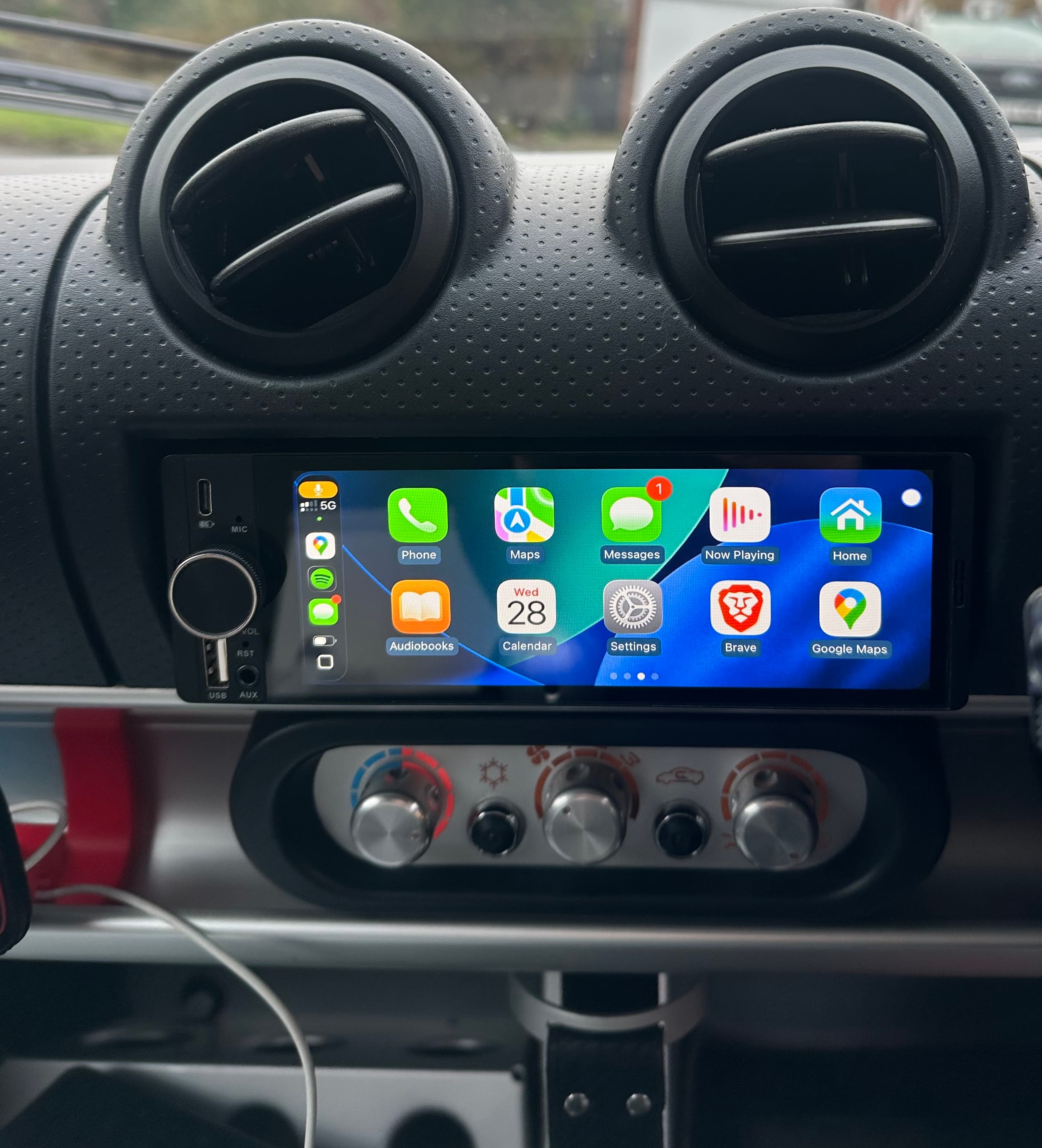
Lotus Elise Fitment: Finding The Hardware
Finding a Lotus Elise CarPlay upgrade is notoriously difficult due to the shallow dashboard depth and the proximity of the air vents. For those in the UK and Europe, the MRSXWPY unit is the premier choice. While US-based owners often opt for the Power Acoustik CP-71W, that unit remains extremely difficult to source in Europe without prohibitive import costs.
Where to Buy
Sourcing the MRSXWPY unit for your Elise dashboard:
*As an Amazon Associate I earn from qualifying purchases. Store ID: austintechsol-21
The Technical Fix
Despite the hardware quality, the manufacturer-supplied documentation contains errors regarding the customisation of the system boot logo. To successfully trigger the automated flash, the storage device must conform to these exact specifications:
- File System: The USB flash drive must be formatted to FAT32.
- Directory Architecture: A folder named
updatein the root directory. - Filename:
stalogo(saved as a .jpg asset). - Native Resolution: 1280 x 480 pixels.
- Maximum File Size: Must be under 50 KB.
Lotus Asset Examples


Installation Sequence
Insert the USB drive into the device while it is powered on. The system will automatically detect the /update directory and begin the flash process immediately. Do not interrupt power until the unit reboots and displays your new splash screen. Once the system has fully rebooted, it is safe to remove the USB.